Feature guide
Ground caller answers in your business knowledge
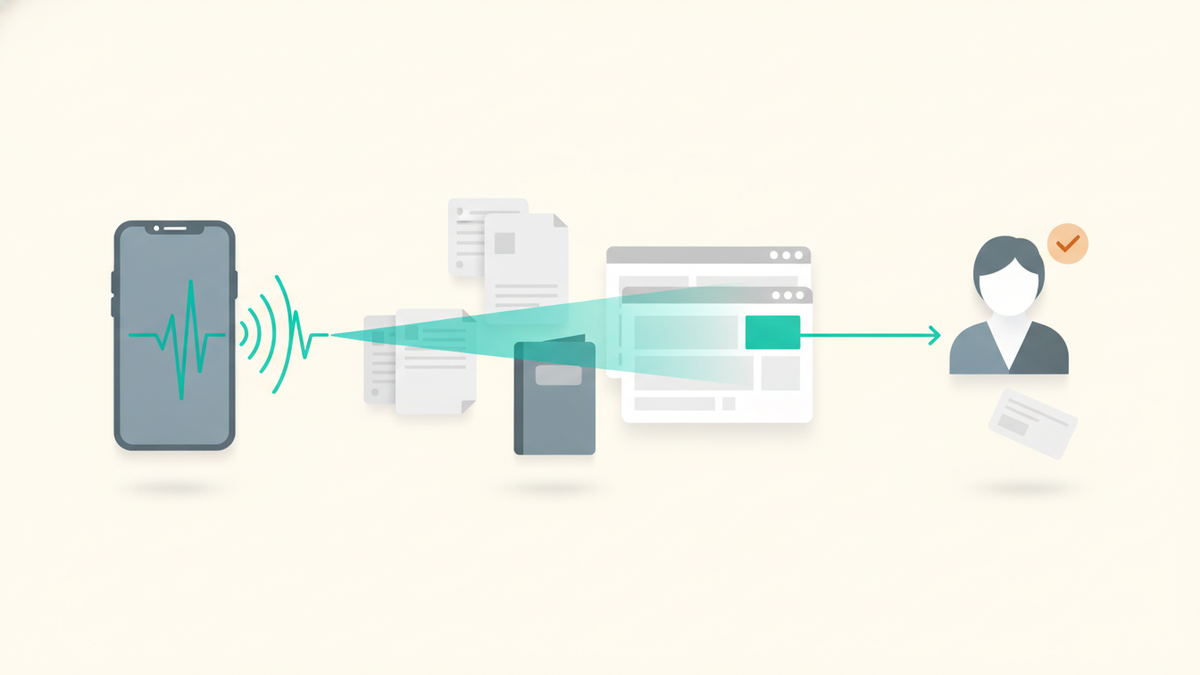
Knowledge Assistant lets your Receptionist answer detailed questions from approved PDF and DOCX files and public website pages. Relay searches only the knowledge sets you select, uses matching passages as business truth, and falls back to taking a message when the answer is not there.
Included with Business
Knowledge Assistant is available to Business tenants in Receptionist Mode. The short FAQ Knowledge Base remains available on every plan and in both call modes. Knowledge Assistant adds deeper, searchable source material; it does not replace FAQs.
On this page
How it works
When a caller asks a business-specific question that is not covered by a short FAQ, Relay searches the active sources in the selected knowledge sets. It answers only when it finds a sufficiently relevant passage. If no good match is available, Relay asks one focused follow-up question and then takes a message, offers booking, or follows your transfer policy.
- Retrieved text is treated as reference material, never as instructions to the assistant.
- Exact details such as names, prices, measurements, model numbers, and policy terms are preserved.
- Relay answers in the caller's language even when the source was written in another supported language.
- A search timeout or indexing problem does not end the call; Relay continues with its normal receptionist flow.
Set it up
- Open Knowledge Base, choose the Knowledge Assistant tab, and create a knowledge set. Every account starts with an unremovable General set.
- Add a source. Upload a native-text PDF or DOCX file, or enter the URL of a public website. Relay follows same-site links for website sources and shows the indexing state in the source list.
- Wait for the source to show Active. If Relay detects potentially sensitive terms, review the source and acknowledge it before that version can answer callers.
- Open Receptionist Mode, enable Knowledge Assistant, select the default sets, and add a short purpose statement.
- Save, call your Relay number, and test both questions the source should answer and questions it should decline.
Knowledge sets and phone lines
Sets let you keep different source libraries for different callers. For example, create General policies, Residential service, and Commercial service, then choose which sets each phone line may search.
- The global Receptionist setting defines the default enabled state, purpose, and selected sets.
- Each phone line can inherit those defaults, disable Knowledge Assistant, or enable it with its own purpose and set selection.
- Keep the purpose short and operational, such as “Answer questions about installation, warranties, and supported models.”
- Put stable one-sentence answers in FAQs; use Knowledge Assistant for manuals, service catalogs, policies, and larger bodies of content.
Practical use cases
Home services
Answer which brands, equipment types, service areas, warranties, and maintenance plans your company supports without asking a technician to return every call.
Real estate and property operations
Use property guides and public listing pages to answer amenity, access, parking, pet-policy, showing, and maintenance-process questions.
Products and services
Ground answers in service catalogs, product manuals, compatibility tables, published price sheets, and return or warranty policies.
Multi-location businesses
Create a set per location or department and assign only the relevant sets to each phone line, while keeping shared company policies in General.
Test and maintain it
Treat source changes like receptionist training. Test representative questions after the first setup and after meaningful policy, pricing, or product changes.
- Ask direct questions, paraphrases, and ambiguous questions that should trigger clarification.
- Ask at least one question whose answer is absent; Relay should not make up the missing fact.
- Use Refresh after replacing a document or when you want a website re-crawled immediately. Website sources also refresh automatically every seven days.
- A failed refresh leaves the last active version available, so a temporary source problem does not erase working knowledge.
Limits and safety
- Up to 10 knowledge sets, 50 sources, and 10,000 active content chunks per Business account.
- Uploads must be native-text PDF or DOCX files, up to 20 MB. Scanned/image-only PDFs and password-protected files are not supported.
- A website source may crawl up to 50 public pages on the same site. Pages requiring a login are not available to the crawler.
- Do not upload payment-card data, medical records, financial account data, passwords, access codes, or other secrets callers should never hear.
- If you leave Business, sources become read-only and are retained for 30 days before deletion unless you restore entitlement.
Knowledge Assistant is informational. It does not look up customer accounts, place orders, issue refunds, create support tickets, or perform other transactions. Keep a human handoff available for requests that require identity checks, judgment, or account access.